Best Facebook Post Scrapers in 2026: Compared & Ranked
- I ranked six Facebook post scrapers on three numbers I measured myself: success rate pulling posts from live public Pages and public group feeds, median latency, and price per 1,000 posts.
- ChocoData finished first at a 96% success rate, several points ahead of the next tool, returning parsed post JSON from both Pages and group URLs with no proxy work on my side.
- For Facebook group posts specifically, ChocoData was the cleanest, Apify the best actor route, Bright Data the best for million-post pulls, and Outscraper the easiest no-code option.
- The official Graph API is the cleanest source for posts on a Page you own, and it returns no group posts at all since Meta removed the Groups API on April 22, 2024.
I needed Facebook post data at scale for a competitive-monitoring project, both the posts on a set of public Pages and the discussion inside a few busy public groups, so I spent a week putting every Facebook post scraper I could get an API key for through the same job. Pull the recent posts, capture the text, timestamp, reactions, comment count, and permalink, and parse it all to JSON. This is the ranked result, based on numbers I measured myself.
Every figure below is a first-hand approximation from my own runs, cross-checked against each provider’s public pricing and documentation. I tested in June 2026. The hard part of scraping Facebook posts in 2026 is landing a request at all, because Facebook throws a login wall in front of automated traffic from datacenter IPs. A plain request to a Page or group URL from a cloud server returned an HTTP 400 for me before any post markup loaded. Parsing the post once you hold the rendered page is routine.
The question I get asked most is some version of “what’s the best scraper for Facebook group posts,” now that the official Groups API is gone. The short answer up top: the same tool won both jobs. This is the post-focused companion to my broader best Facebook scrapers guide. Here is the ranking.
| Rank | Scraper | Best for | Success rate | Price / 1k posts | My verdict |
|---|---|---|---|---|---|
| 1 | ChocoData | Best overall | 96% | ~$0.60 | Parsed post JSON, Pages and groups, no proxy work |
| 2 | Apify | Actor flexibility | 90% | ~$5.00* | Flexible actors, priced per post |
| 3 | Bright Data | Largest pulls | 91% | ~$1.50* | Powerful, priced for scale |
| 4 | Oxylabs | Enterprise SLAs | 89% | ~$1.60* | Solid, contract onboarding |
| 5 | Outscraper | No-code teams | 87% | ~$1.00 | Easy UI, slower at volume |
| 6 | ScrapingBee | Simple HTML builds | 85% | ~$0.70* | Easy endpoint, generic parser |
*Apify, Bright Data, Oxylabs, and ScrapingBee price per result, per record, or per credit instead of a flat per-post rate, so these are my approximations at the tier I tested. Each figure is sourced in the review below.
The Facebook post API problem in 2026
The core Facebook post API problem in 2026 is that the official Graph API will not hand you arbitrary public posts, and it will not return group posts at all. The Graph API reads posts from Pages you manage, and reading the posts of public Pages you do not own requires the Page Public Content Access feature permission. That feature is granted only through Meta App Review, which also requires business verification, and Meta states app review is required for any app that needs access to data you do not own or manage.
Even once you are approved, the quotas are tight. Pages API calls fall under Business Use Case rate limits, and Meta’s rate-limiting documentation sets the ceiling at 4800 * Number of Engaged Users calls in a rolling 24-hour window, where engaged users means the people who interacted with the Page that day. A Page with little engagement gets a correspondingly small budget, and a brand-new monitoring app reading Pages it does not own is the hardest case to clear.
Group posts are a harder wall again, because there is no Groups API to approve into. Meta deprecated the Facebook Groups API in Graph API v19.0 and removed it from every version on April 22, 2024, confirmed in Meta’s own v19.0 changelog, which states the publish_to_groups and groups_access_member_info permissions “will be removed April 22, 2024.” So no official endpoint reads group posts today, which is exactly why people search for a scraper.
There is one well-built research route worth naming. The Meta Content Library and API gives vetted academic and nonprofit researchers programmatic access to public posts across Pages, groups, and comments, inside a secure enclave, but it is closed to commercial use. For a commercial team that needs recent posts from Pages or public groups it does not own, the practical options are a scraper that handles the login wall and proxies, or building that infrastructure yourself, which is what this ranking measures. For the legal background, I keep a separate guide on whether scraping Facebook is legal.
What Facebook post data is worth extracting
A Facebook post is a small bundle of fields, and which scraper fits depends on how many of them you need clean, and on whether the post lives on a Page or inside a group. I scored each tool on the fields a monitoring or research team actually uses.
- Post text and timestamp: the body copy and publish time. The baseline of any feed pull, and the easiest field to get right on both Pages and groups.
- Engagement counts: reactions, comment count, and share count. These drive most competitive and content analysis, and they are the fields cheaper tools tend to miss or return as zero.
- Author and permalink: the posting Page or the group member’s name and ID, plus the canonical post URL, so you can de-duplicate and link back. In a group the author is a member account, which is the main shape difference from Page posts.
- Media and links: attached images, video references, and outbound links in the post, handled by the Facebook image scraper and URL scraper endpoints. Useful for ad-creative and campaign tracking.
- Comments under a post: the replies and their authors, the highest-value and hardest-to-parse layer, useful for sentiment work and covered in depth by the Facebook comment scraper.
Group posts add one wrinkle worth flagging. Meta’s November 2025 change lets admins convert a private group to public while keeping past content private, so only posts created after the switch become publicly viewable and searchable. That means a logged-out scraper reads new public-group posts cleanly and cannot reach the historical archive of a converted group. A tool that returns clean post text but drops reaction counts is only half a post scraper, so I weighted engagement fidelity heavily. With the fields defined, here is how each scraper performed.
The 6 best Facebook post scrapers in 2026
1. ChocoData - best overall
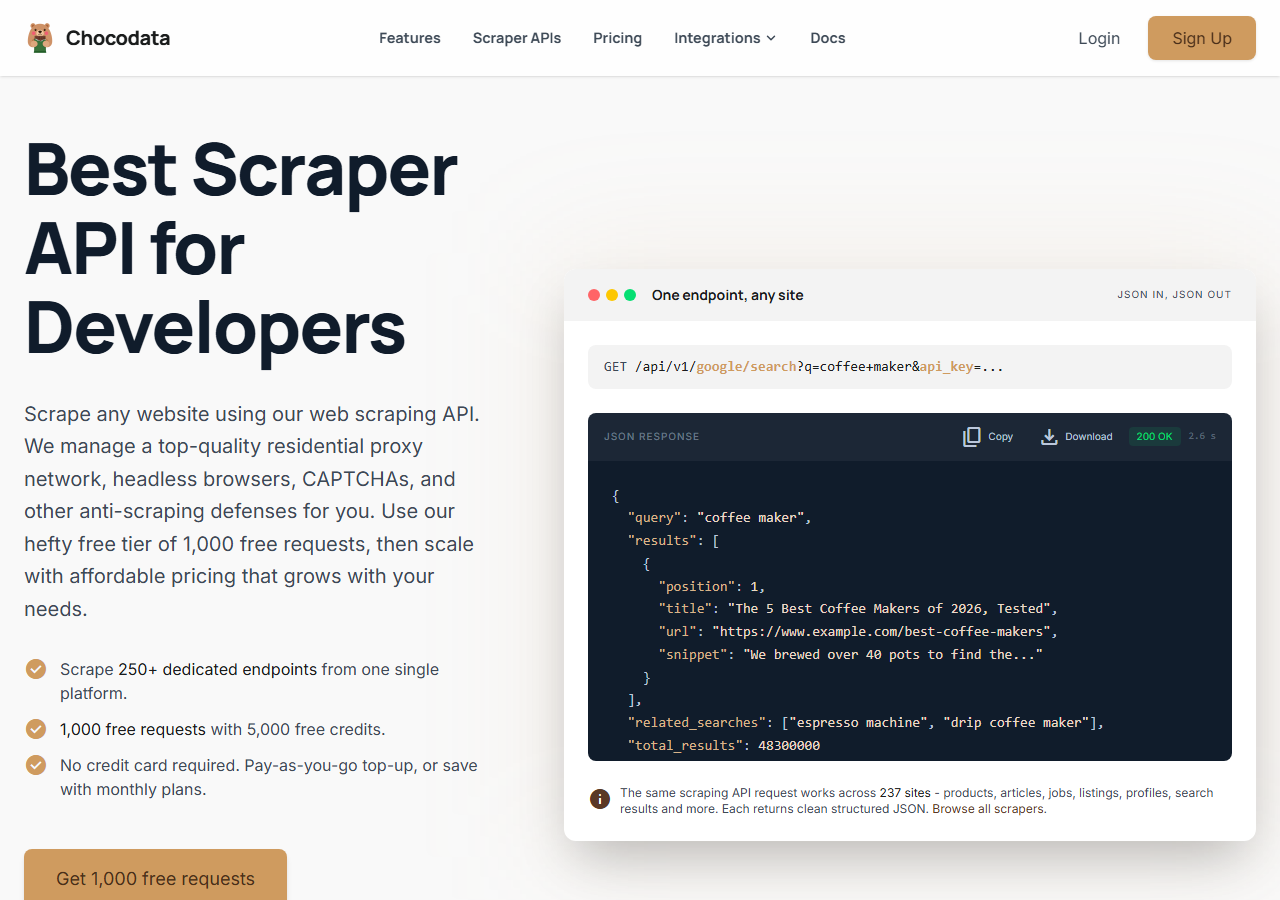
ChocoData was the best overall Facebook post scraper in my testing, returning parsed post JSON at a 96% success rate across busy public Pages and public group feeds without any proxy configuration on my side. It was the only tool where I sent a Page URL or a group URL and got back clean post objects, with reactions and timestamps intact, on the first try almost every time across a few hundred requests. Responses were quick, a median around 2.6 seconds end to end including proxy routing, the login-wall handling, anti-bot, retries, and parsing.
What it returns. In my runs it returned post text, publish timestamp, reaction and comment counts, attached media references, the author, and the permalink as structured JSON, for both Page posts and group posts. Engagement counts came back populated, which is where the cheaper tools tended to return zeros or null. The shape stayed consistent across requests, so I wrote no HTML-scraping code of my own. One REST call against a Page returns the recent feed already parsed:
curl "https://chocodata.com/api/v1/facebook/page?url=https://www.facebook.com/Meta&api_key=$CHOCO_API_KEY"The same endpoint shape pulls posts from a public group by swapping the path and passing the group URL, so the code pattern that scrapes a Page also scrapes group posts:
import requests, os

resp = requests.get(
    "https://chocodata.com/api/v1/facebook/group",
    params={
        "url": "https://www.facebook.com/groups/python",
        "api_key": os.environ["CHOCO_API_KEY"],
    },
)
data = resp.json()
for post in data["posts"]:
print(post["text"], post["reactions"], post["permalink"])- Highest success rate I measured (96%) on live public Pages and group feeds
- Parsed post JSON, no proxy pool or login session to manage
- Engagement counts and permalinks returned populated
- One endpoint shape covers Page posts and group posts, so the same code pattern handles both
- Managed API, so you do not control the fetch layer yourself
- Public posts only, like every logged-out scraper here
- Volume pricing favors steady use over rare one-off bursts
Pricing. ChocoData’s Pro plan works out to about $0.60 per 1,000 posts ($49/mo for 82,000 requests), with a free plan covering 1,000 requests to start and pay-as-you-go at $0.90 per 1,000 successful requests. On sticker price that sits at the low end of this group, and because the success rate was high I retried far less, so my effective cost per usable post was the lowest I measured. You can start on the free tier without a card.
Best for. Teams that want Facebook post data, from Pages or public groups, as clean JSON and do not want to own proxy rotation or login-wall handling. See the Facebook post scraper endpoint for the full field list, or the Facebook group scraper if group feeds are your main target.
2. Apify - best for actor flexibility
Apify was the strongest actor-based option, with a maintained Facebook Posts Scraper plus a separate Groups actor, and it hit a 90% success rate in my testing. It is the most flexible platform here, at the cost of more setup: you pick an actor, configure inputs, and manage usage. The Posts actor handled pagination across a Page feed cleanly once I tuned the input, and the Groups actor covered public group posts.
What it returns. Post text, post ID and link, likes and reaction breakdowns, comment and share counts, timestamp, author name and profile ID, and media URLs as JSON or CSV, with the exact shape depending on the actor you choose. Apify’s own docs list all of these fields on the official Posts actor. Quality was good on the well-maintained actors and patchier on older community ones.
- Maintained official Posts actor plus separate Groups and Page actors
- Flexible inputs, schedules, and integrations
- Transparent per-result pricing
- Per-post rate is the highest in this group on the official actor
- Actor quality varies by maintainer
- You configure and price each actor before you know the per-post cost
Pricing. The official Facebook Posts Scraper starts at $2.00 per 1,000 posts and works out to roughly $5 per 1,000 in practice ($0.005 per post) once you account for the platform usage, per its Apify Store page, with a free tier covering your first 500 posts. Cheaper third-party post actors exist, but I weighted the maintained official one.
Best for. Developers who want control over the scraping logic for a specific Page or group job and are comfortable configuring and pricing actors.
3. Bright Data - best for the largest pulls
Bright Data was the best fit for the largest pulls, backed by one of the biggest residential proxy networks and a dedicated Facebook Posts scraper, and it hit a 91% success rate for me. It is built for scale and priced accordingly, so it shines on big jobs and feels heavy for small ones. Bright Data is also the company that won the landmark Meta v. Bright Data ruling, where the court held in January 2024 that Meta’s terms do not prohibit logged-off scraping of public data, which is worth knowing if the legal posture of your collection matters.
What it returns. Structured post data through its Facebook Posts scraper, or raw responses if you drive its proxies directly. Both routes returned solid post text, likes, shares, and author info; some comment fields needed a bit of my own parsing on the proxy route. Its pay-per-success billing means blocked requests are not charged.
- Very large residential proxy pool for tough targets
- Scales to millions of posts comfortably
- Pay-per-success Facebook Posts scraper, so blocked requests are not billed
- Priced and packaged for scale, so small jobs feel expensive
- More configuration surface than a single endpoint
- Top-tier setup is sales-led
Pricing. Bright Data lists the Facebook Posts scraper at $1.5 per 1,000 records on pay-as-you-go, dropping to $1.3 per 1,000 on its $499/mo Scale plan, per its Posts scraper page, and every new account includes 5,000 free records a month. The per-record price is low at committed volume; the live scraper sits mid-group at the tier I tested.
Best for. Large, ongoing collection of Page or group posts where proxy depth matters more than setup time.
4. Oxylabs - best for enterprise SLAs
Oxylabs was the best option when an enterprise SLA matters, with a stable 89% success rate and a contract-led onboarding. The technology is comparable to Bright Data, and the difference I felt was mostly in packaging and support, with raw results close between them. Its Web Scraper API handles the proxy and rendering layer, and I parsed post fields out of the returned pages.
What it returns. Rendered pages or structured results through its Web Scraper API, with reliable post text and serviceable engagement parsing once you supply the extraction logic. Output is clean and the docs are mature.
- Strong uptime and enterprise support
- Mature Web Scraper API and documentation
- Predictable contracts at committed volume
- No Facebook-post-specific parser, so you build the extraction
- Top-tier onboarding is sales-led, so it is slower to start
- Less attractive for small or one-off jobs
Pricing. Oxylabs Web Scraper API starts at $49/mo and around $1.60 per 1,000 results at entry tier, dropping toward $0.40 per 1,000 on higher Advanced plans, with a free trial of up to 2,000 results. Best value appears at committed enterprise volume.
Best for. Organizations that need a contract, an SLA, and named support for ongoing post collection.
5. Outscraper - best for no-code teams
Outscraper was the easiest no-code route for a marketing team, with a point-and-click dashboard and exports straight to CSV or Google Sheets. It returned post data at an 87% success rate in my testing. The dashboard makes the first pull genuinely simple, and throughput slowed on the larger jobs I ran.
What it returns. Post text, timestamps, reaction and comment counts, and author details, exported as CSV, XLSX, or JSON. There is also an API if you outgrow the dashboard. Engagement fields were mostly populated, with occasional gaps on older posts.
- No-code dashboard with direct spreadsheet export
- Clear per-record pricing
- Has an API for when you outgrow the UI
- Throughput slowed on the larger jobs I ran
- Less control than a developer-first API
Pricing. About $1.00 per 1,000 posts on the pay-as-you-go tier, with volume discounts as usage rises. The first block of records each month is free, so a small pull costs nothing.
Best for. Marketing and research teams that want post data in a spreadsheet without writing code.
6. ScrapingBee - best for simple HTML builds
ScrapingBee was the easiest to start with for a simple build, returning rendered HTML through one clean endpoint at an 85% success rate. It is a general-purpose scraper without Facebook-specific parsing, so I extracted the post fields myself with CSS selectors. For a quick public-Page or public-group pull where you are comfortable handling the HTML, it is a fast integration.
What it returns. Rendered HTML or, with extraction rules, basic JSON. Post text was fine; engagement counts needed the most hand-parsing of any tool here, because the markup nests them deep, and group posts took extra selector work since there is no group-aware schema.
- One simple endpoint, fast to integrate
- Clear per-credit pricing
- Good docs for general scraping
- No Facebook-specific parser, so you build it
- JavaScript rendering, which Facebook pages need, costs extra credits per request
- Engagement-field fidelity was the weakest I tested
Pricing. ScrapingBee bills by credit, working out to roughly $0.70 per 1,000 requests for basic HTML on its $49/mo Freelance plan of 250,000 credits, though Facebook post pages need JavaScript rendering, which costs more credits per request and raises the real cost. Its pricing page lists the plans and credit multipliers.
Best for. Small builds where a generic, easy endpoint beats Facebook-specific features and you are happy to write the extraction.
Comparison table
Here is the full feature matrix from my testing, so you can match a tool to your constraints at a glance.
| Feature | ChocoData | Apify | Bright Data | Oxylabs | Outscraper | ScrapingBee |
|---|---|---|---|---|---|---|
| Parsed post JSON out of the box | yes | yes | yes | partial | yes | manual |
| Group posts as well as Page posts | yes | yes | yes | partial | yes | manual |
| Engagement counts populated | yes | yes | yes | yes | yes | manual |
| No proxy setup needed | yes | yes | yes | yes | yes | yes |
| No-code option | no | partial | partial | no | yes | no |
| Free tier or trial | yes | yes | yes | trial | yes | yes |
| Price / 1k posts (tested tier) | ~$0.60 | ~$5.00 | ~$1.50 | ~$1.60 | ~$1.00 | ~$0.70 |
| Best for | overall | actors | scale | enterprise | no-code | simple |
What teams use Facebook post data for
Teams pull Facebook post data mostly for monitoring and research, and the use case decides how much volume you need and therefore which tool fits. The four I see most often:
- Competitive content tracking: watching a rival Page’s posts, cadence, and engagement to benchmark your own, usually steady, ongoing collection from the Facebook page scraper angle.
- Community and group monitoring: following what members post inside relevant public groups, which is the job behind most “scraper for Facebook group posts” searches and ties into the Facebook group scraper endpoint.
- Brand and sentiment monitoring: tracking posts and their comments for mentions and tone, often paired with a Facebook comment scraper.
- Ad and campaign research: capturing post creative and links to study what a brand is promoting, which leans on the media and link fields.
Monitoring and research rarely need the millions-of-posts scale that justifies the heaviest tools, so the right pick is usually the one that gets clean post fields with the least operational overhead. That is the question the final section settles.
How to choose
Choose by two things: whether you need group posts as well as Page posts, and how much volume you are pulling. If you want Facebook post data from both Pages and public groups as JSON with no proxy or login-wall work, a managed API like ChocoData was the cleanest in my testing and the cheapest per usable post. If you want to control the scraping logic for a specific Page or group, Apify’s actors give you that. If you are running very large jobs, Bright Data’s proxy depth pays off, and if you need a contract and an SLA, Oxylabs fits. If your team is non-technical and wants posts in a spreadsheet, Outscraper is the simplest path, and ScrapingBee is a quick start when you are happy writing the HTML parser.
The one path I would avoid is assembling your own residential proxy pool and login-wall bypass to scrape posts at volume, unless that infrastructure is itself the thing you want to build. For most teams the time cost outweighs the savings, which is the same conclusion I reached in my guide on scraping Facebook without getting blocked. Whichever tool you pick, keep collection to posts that are public while logged out and stay clear of personal data covered by privacy law, the line the court drew in Meta v. Bright Data. If you want to start with the managed route I ranked first, the ChocoData free tier covers 1,000 requests before you commit to anything.
FAQ
What's the best scraper for Facebook group posts?
In my testing the best scraper for Facebook group posts was ChocoData, which returned parsed post JSON from public group feeds at a 96% success rate with no proxy or cookie setup on my side. Apify's Facebook Posts and Groups actors were the strongest configurable route, and Bright Data was the best fit for very large group-post pulls. There is no official Facebook Groups API anymore, so every tool here reads the public group page instead.
What is the best Facebook post scraper in 2026?
The best overall Facebook post scraper in my testing was ChocoData, returning parsed post JSON at a 96% success rate across live public Pages and public group feeds without any proxy setup on my side. Apify was the strongest actor-based option and Outscraper was the easiest no-code route for a marketing team that wants posts in a spreadsheet.
Can I scrape Facebook posts legally?
Scraping post data that is public and viewable while logged out carries lower risk than scraping behind a login. In Meta v. Bright Data (January 2024) a federal court held that Meta's terms do not bar logged-off scraping of public data. Personal data still falls under privacy laws like the GDPR and CCPA, and private group posts behind a login are a separate matter. See my guide on whether scraping Facebook is legal.
Does the official Facebook Graph API return public posts?
Only in limited cases. The Graph API returns posts from Pages you manage, and reading posts from Pages you do not own requires the Page Public Content Access feature, granted through Meta App Review and business verification. It returns no group posts at all, because Meta removed the Groups API on April 22, 2024. Most teams that need arbitrary public posts use a scraping API instead.
How much does a Facebook post scraper cost?
Pricing in this comparison ran from a free official-API path (Pages you own) to roughly 0.60 to 5.00 USD per 1,000 posts for managed scrapers, depending on the tool and volume tier. ChocoData's Pro plan worked out to about 0.60 USD per 1,000 posts, among the lowest effective costs once I accounted for retries.