Best Facebook Group Scrapers in 2026: Compared & Ranked
- Meta killed the Facebook Groups API on April 22, 2024, so there is no official way to read group posts anymore. Every tool here works around that by scraping the public web.
- I ranked six Facebook group scrapers on three numbers I measured myself: success rate on a busy public group, median latency, and price per 1,000 posts.
- ChocoData came out on top at a 96% success rate, a few points ahead of the next best, returning parsed JSON with no proxy or cookie setup on my side.
- Apify is the best community-actor route, Bright Data the best for million-record pulls, and PhantomBuster the best if you need logged-in group data and accept the account risk.
I build Facebook data pipelines for a living, and the question I get asked most is some version of “how do I pull posts out of a Facebook group at scale now that the API is gone.” So I spent a week putting every Facebook group scraper I could get access to through the same job: pull recent posts and their comments from a busy public group, parse them to JSON, and see what actually survived. This is the ranked result, based on numbers I measured myself. If you need to scrape Facebook pages, profiles, or posts beyond groups, start with my broader guide to the best Facebook scrapers.
The headline fact that shapes everything below: Meta removed the Facebook Groups API on April 22, 2024, confirmed in Meta’s own Graph API v19.0 changelog. There is no official endpoint to read group posts or members anymore. Every option here works around that by scraping the public web, so the question is which one does it cleanly and which one gets blocked.
Every figure below is a first-hand approximation from my own runs in June 2026, cross-checked against each provider’s public pricing and documentation.
| Rank | Scraper | Best for | Success rate | Price / 1k posts | My verdict |
|---|---|---|---|---|---|
| 1 | ChocoData | Best overall | 96% | ~$0.60 | Parsed JSON, no cookies or proxies |
| 2 | Apify | Community actors | 90% | ~$5.00 | Flexible, priced per post |
| 3 | Bright Data | Largest pulls | 91% | ~$0.75* | Scales to millions, sales-led |
| 4 | Oxylabs | Enterprise SLAs | 89% | ~$1.60* | Solid, contract onboarding |
| 5 | PhantomBuster | Logged-in group data | 84% | ~$1.00* | Reaches private data, account risk |
| 6 | ScrapingBee | Simple HTML jobs | 85% | ~$0.50 | Easy start, you build the parser |
*Bright Data, Oxylabs, and PhantomBuster price by record, proxy traffic, or execution time instead of a flat per-post rate, so these are my approximations at the tier I tested. Sources are linked in each review.
The Facebook Group API problem in 2026
The core problem is simple to state: there is no official Facebook Groups API anymore. Meta deprecated it in Graph API v19.0 and removed it from every version on April 22, 2024, along with the publish_to_groups and groups_access_member_info permissions, per Meta’s v19.0 changelog. TechCrunch reported that the change cut off third-party tools that businesses relied on to read and post to groups, with little notice.
That leaves two realistic routes to group data. The first is scraping public group pages while logged out, which is what the tools at the top of this ranking do. The second is driving a logged-in session to reach private or members-only content, which is what PhantomBuster does, and which carries account risk.
I confirmed the public-route friction myself. A plain request to a public group URL from a cloud server gets served Facebook’s login-wall redirect and a near-empty HTML shell well before any post data appears, even with a real Chrome User-Agent. Facebook detects the datacenter IP and the missing session and degrades the response. That single behaviour is what separated the tools here: the ones that scored well solved IP reputation and page rendering for me, and the ones that scored poorly handed me the login shell. My full method is in How to scrape Facebook without getting blocked.
There is also a legal line running straight through this problem, and it falls in the same place as the technical one. In Meta Platforms v. Bright Data, decided January 23, 2024 in the Northern District of California, the court granted Bright Data summary judgment and held that Meta’s terms govern logged-in use, finding that Bright Data “did not ‘use’ Facebook and Instagram when it engaged in public logged-off scraping.” That echoes the Ninth Circuit in hiQ Labs v. LinkedIn, which held that scraping public pages likely does not violate the Computer Fraud and Abuse Act, so public, logged-out group pages and private, logged-in group content are two different things legally as well as technically. Member names and profiles are personal data either way, so anything you store also falls under GDPR and CCPA, and I go deeper in Is scraping Facebook legal.
What Facebook group data is worth extracting
The group data worth extracting falls into a few clear types, and which scraper fits depends on which of these you need. I scored each tool mostly on the first two, since they are what people actually pull from groups.
- Group posts: the post text, author name and ID, timestamp, permalink, and engagement counts (reactions, comments, shares) from a group feed. This is the core of community monitoring and the Facebook post data most people want.
- Comments: the replies under each post, with commenter name, text, timestamp, and like count. The highest-value and hardest-to-parse part, useful for sentiment and qualitative research. See the dedicated Facebook comment scraper.
- Member and author data: names and profile links of people active in the group. Public group pages expose far less of this than they used to, and full member lists generally require a logged-in member account.
- Media and links: images and outbound URLs shared in posts, handled by the Facebook image scraper and URL scraper endpoints.
A tool that returns clean post text but flattens or drops the comment threads is only half a group scraper, so I weighted comment fidelity heavily. With the data types defined, here is how each scraper performed.
The 6 best Facebook group scrapers in 2026
1. ChocoData - best overall
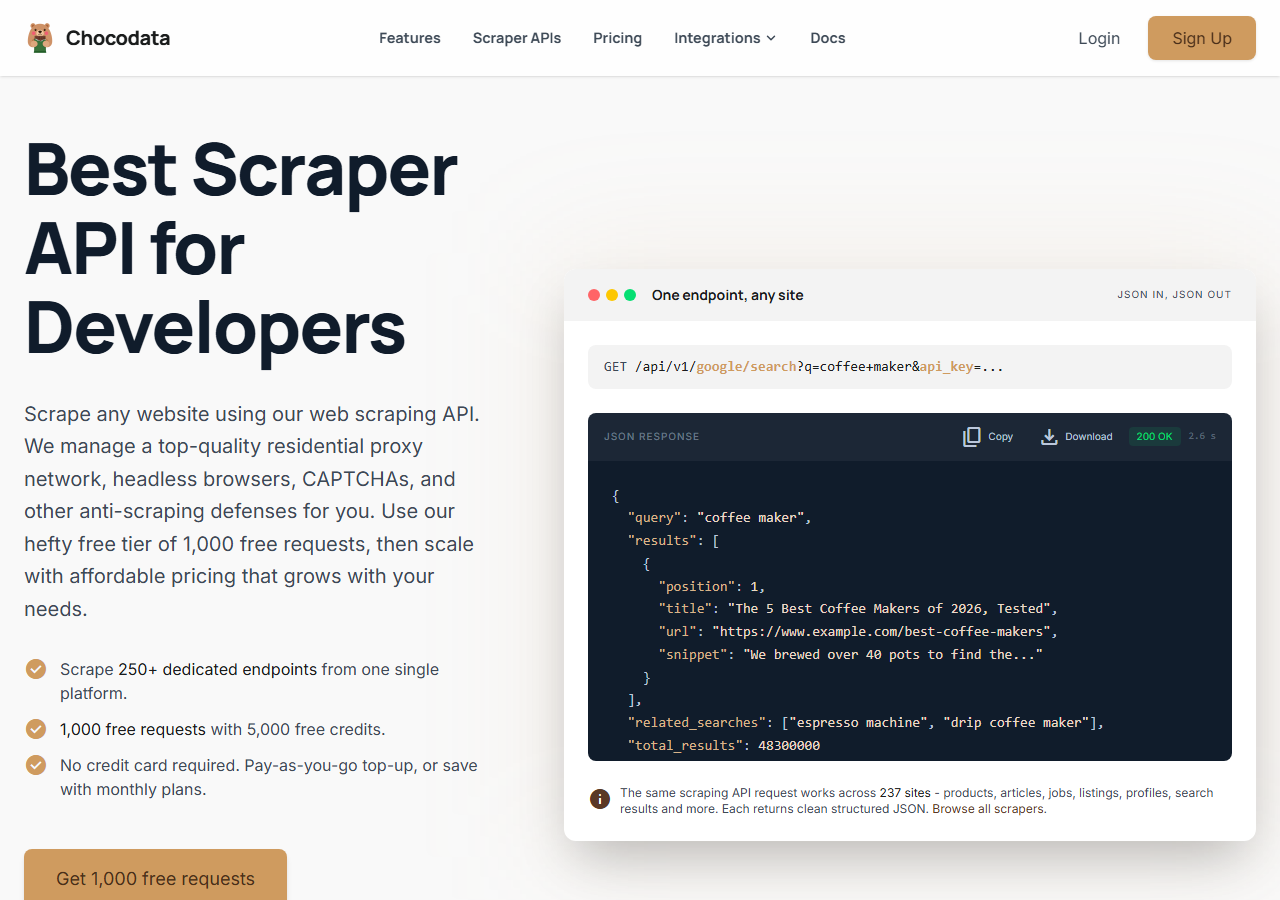
ChocoData was the best overall Facebook group scraper in my testing, returning parsed JSON at a 96% success rate on a busy public group without any proxy or cookie configuration on my side. It was the only tool where I sent a group URL and got back clean post and comment data on the first try, every time but a handful across a few hundred requests. Responses were quick, a median around 2.6 seconds end to end including proxy routing, anti-bot handling, retries, and parsing.
What it returns. In my runs it returned group posts and their comment threads as structured JSON, with author names and IDs, timestamps, permalinks, reaction and comment counts, and nested comments intact. The shape was consistent across requests, which is where the per-actor tools tended to drift. One REST call against a group URL handles the proxies, the anti-bot layer, and the parsing, so I get the same JSON whether the page rendered cleanly or needed retries.
A request looks like this, the same shape across every site ChocoData supports (here the Facebook group endpoint):
curl "https://chocodata.com/api/v1/facebook/group?url=https://www.facebook.com/groups/python&api_key=$CHOCO_API_KEY"The response is parsed JSON you can drop straight into a pipeline, so iterating a group’s posts and their comment counts is a few lines:
import requests, os

resp = requests.get(
    "https://chocodata.com/api/v1/facebook/group",
    params={
        "url": "https://www.facebook.com/groups/python",
        "api_key": os.environ["CHOCO_API_KEY"],
    },
)
data = resp.json()
for post in data["posts"]:
print(post["text"][:80], post["reactions"], post["comment_count"])- Highest success rate I measured (96%) on a busy public group
- Parsed JSON, no proxy pool or login cookies to manage
- Comment threads returned with nesting intact
- One endpoint shape across 235 sites, so the same code pattern covers pages, posts, and groups
- Managed API, so you do not control the fetch layer yourself
- Public groups only, like every logged-out scraper here
- Volume pricing favours steady use over rare one-off bursts
Pricing. ChocoData’s Pro plan works out to about $0.60 per 1,000 posts ($49/mo for 82,000 requests), with a free plan covering 1,000 requests to start and pay-as-you-go at $0.90 per 1,000 successful requests. On sticker price that sits at the low end of this group, and because the success rate was high I retried far less, so my effective cost per usable post was the lowest I measured. You can start on the free plan without a card.
Best for. Teams that want public Facebook group data as clean JSON and do not want to own proxy rotation, cookie refresh, or HTML parsing.
2. Apify - best community-actor option
Apify was the strongest community-actor option, with a well-known Facebook Groups Scraper and several alternatives, hitting a 90% success rate in my testing. It is the most flexible platform here, at the cost of more setup: you pick an actor, configure inputs, and manage usage. The official actor works on public groups with no login, though Apify’s own docs note keyword search is very limited without a logged-in session.
What it returns. Post text, author info, timestamps, reaction and comment counts, and comment-level data as JSON or CSV, with the exact shape depending on the actor you choose. Quality was good on the official actor and patchier on some of the third-party ones. The official actor explicitly returns post URLs, author IDs, engagement metrics, reaction breakdowns, and threaded comments.
- Maintained official Groups actor plus a large third-party library
- Flexible inputs, schedules, and integrations
- Transparent per-result pricing
- Per-post rate is the highest in this group on the official actor
- Third-party actor quality varies by maintainer
- Keyword search inside groups is limited without a login
Pricing. The official Facebook Groups Scraper is $5 per 1,000 posts ($0.005 per post), per its Apify Store page, with a free tier covering your first 1,000 posts. Cheaper third-party Groups actors exist (some claim well under $1 per 1,000), but I weighted the maintained official actor.
Best for. Developers who want control over the scraping logic for a specific group job and are comfortable configuring and pricing actors.
3. Bright Data - best for the largest pulls
Bright Data was the best fit for the largest pulls, backed by one of the biggest residential proxy networks and a pre-collected Facebook dataset, and it hit a 91% success rate for me. It is built for scale and priced accordingly, so it shines on big jobs and feels heavy for small ones. Bright Data is also the company that won the public-scraping case against Meta, which is worth knowing if the legal posture of your collection matters.
What it returns. Structured datasets through its Facebook scraper and dataset products, or raw responses if you drive its proxies directly. Both routes returned solid post data; comment threads needed a little of my own parsing on the proxy route. The pre-built dataset returns posts with author, engagement, and timestamp fields ready to download.
- Very large residential proxy pool for tough targets
- Pre-collected Facebook datasets for bulk needs
- Pay-per-success scraper billing, so blocked requests are not charged
- Priced and packaged for scale, so small jobs feel expensive
- More configuration surface than a single endpoint
- Top-tier setup is sales-led
Pricing. Bright Data publishes Web Scraper pricing around $0.75 per 1,000 records on its pay-per-success model, and its pre-collected Facebook dataset starts at $250 for 100,000 records, roughly $0.0025 per record, with volume and subscription discounts. The per-record dataset price is very low at scale; the live scraper sits mid-group at the tier I tested.
Best for. Large, ongoing collection where proxy depth or a ready-made dataset matters more than setup time.
4. Oxylabs - best for enterprise SLAs
Oxylabs was the best option when an enterprise SLA matters, with a stable 89% success rate and a contract-led onboarding. The underlying technology is comparable to Bright Data; the difference I felt was mostly in packaging and support, with raw results close between them. Its Web Scraper API handles the proxy and rendering layer, and I parsed group post data out of the returned pages.
What it returns. Rendered pages or structured results through its Web Scraper API, with reliable post data and serviceable comment parsing once you supply the extraction logic. Output is clean and the docs are mature.
- Strong uptime and enterprise support
- Mature Web Scraper API and documentation
- Predictable contracts at committed volume
- No Facebook-group-specific parser, so you build the extraction
- Top-tier onboarding is sales-led, so it is slower to start
- Less attractive for small or one-off group jobs
Pricing. Oxylabs Web Scraper API starts at $49/mo and around $1.60 per 1,000 results at entry tier, dropping toward $0.40 per 1,000 on higher Advanced plans, with a free trial of up to 2,000 results. Best value appears at committed enterprise volume.
Best for. Organisations that need a contract, an SLA, and named support for ongoing group collection.
5. PhantomBuster - best for logged-in group data
PhantomBuster was the best option when you need data a logged-out scraper cannot see, such as posts inside a private group or a fuller member list. It drives a logged-in browser session using your own Facebook cookie, so it reaches content the others cannot. That is also its risk: you are automating a real account against Facebook’s terms, and a flagged session can mean a checkpoint or a ban. I scored it lower on success rate (84%) because session health became the bottleneck across a longer run, where the logged-out tools were limited mainly by IP reputation.
What it returns. Group posts, comments, and member/author data exported as CSV or JSON through its hosted “Phantoms,” including data from groups your logged-in account belongs to. Output is tidy for a session tool, though throughput is gated to keep the account looking human.
- Reaches private-group and member data a logged-out scraper cannot
- No-code hosted workflows, quick to launch
- Clear published execution-time pricing
- Uses your real Facebook session, so the account can be flagged or banned
- Throughput is throttled to mimic human pacing
- Operating logged-in against Facebook's terms is a separate legal posture from public scraping
Pricing. PhantomBuster is subscription plus execution time, starting at $69/mo for a block of hours and proxy credits. Cost per 1,000 posts depends on how long each run takes, so my ~$1.00 figure is an approximation at the volume I tested.
Best for. Teams that specifically need private-group or member data and accept the account and policy risk that comes with a logged-in session.
6. ScrapingBee - best for simple HTML jobs
ScrapingBee was the easiest to start with for a simple job, returning rendered HTML through one clean endpoint at an 85% success rate. It is a general-purpose scraper with no Facebook-group-specific features, so I wrote the post and comment parsing myself. For a quick public-group pull where you are comfortable handling the HTML, it is a fast integration.
What it returns. Rendered HTML or, with extraction rules, basic JSON. Post listings were workable; comment threads needed the most hand-parsing of any tool here, since there is no group-aware schema.
- One simple endpoint, fast to integrate
- Clear per-credit pricing with JS rendering
- Good general scraping docs
- No Facebook-group parser, so you build the extraction
- JavaScript rendering costs 5 credits per request, which adds up on heavy pages
- Comment fidelity was the weakest I tested
Pricing. ScrapingBee bills by credit, working out to roughly $0.50 per 1,000 requests for basic HTML, though Facebook group pages need JavaScript rendering, which is 5 credits per request and raises the real cost. Its pricing page lists the plans and credit multipliers.
Best for. Small public-group pulls where a generic, easy endpoint beats a group-specific parser and you are happy to write the extraction.
Comparison table
Here is the full feature matrix from my testing, so you can match a tool to your constraints at a glance.
| Feature | ChocoData | Apify | Bright Data | Oxylabs | PhantomBuster | ScrapingBee |
|---|---|---|---|---|---|---|
| Parsed group JSON out of the box | yes | yes | yes | partial | yes | manual |
| Nested comment threads | yes | yes | partial | partial | yes | manual |
| No proxy setup needed | yes | yes | yes | yes | yes | yes |
| Works without a login (public groups) | yes | yes | yes | yes | no | yes |
| Reaches private-group data | no | no | no | no | yes | no |
| Free tier or trial | yes | yes | trial | trial | trial | yes |
| Best for | overall | actors | scale | enterprise | logged-in | simple |
What teams use Facebook group data for
Teams pull Facebook group data mostly for monitoring, research, and lead discovery, and the use case decides how much volume you need and therefore which tool fits. The four I see most often:
- Community and brand monitoring: tracking what members of relevant groups say about a product or topic, usually steady, ongoing collection of public group posts and comments.
- Market and audience research: reading a niche community to understand what it cares about before it surfaces elsewhere, often bursty around a launch or event.
- Lead generation: finding active members and the questions they ask in buying-intent groups, which leans on author data and ties into Facebook email and lead workflows where contact details are public.
- Competitive and trend tracking: watching competitor or industry groups for product feedback and emerging complaints, where comment fidelity matters most.
Monitoring and research rarely need the millions-of-records scale that justifies the heaviest tools, so the right pick is usually the one that gets clean public-group data with the least operational overhead, which is the question the final section settles.
How to choose
Choose by two things: whether you need private-group data, and how much volume you are pulling. If you want public Facebook group posts and comments as JSON with no proxy, cookie, or parsing work, a managed API like ChocoData was the cleanest in my testing and the cheapest per usable post. If you want to control the scraping logic for a one-off group, Apify’s actors give you that. If you are running very large jobs or want a ready-made dataset, Bright Data’s depth pays off, and if you need a contract and an SLA, Oxylabs fits. If your job is small and you are happy writing the HTML parser, ScrapingBee is a quick start.
If you genuinely need data from inside a private group, PhantomBuster is the realistic route, because only a logged-in member account can see that content. Going that way means accepting that you are automating a real Facebook account against its terms, with the block, ban, and legal exposure that follow. For public groups, I would not build my own residential proxy pool and HTML parser to dodge the login shell unless proxy and parser maintenance is itself the thing you want to own. For most teams the time cost outweighs the savings, which is the same conclusion I reached in How to scrape Facebook without getting blocked.
FAQ
What is the best Facebook group scraper in 2026?
In my testing the best overall Facebook group scraper was ChocoData, which returned parsed JSON at a 96% success rate on a busy public group with no proxy or cookie setup on my side. Apify was the strongest community-actor option for one-off pulls, and Bright Data was the best fit for very large datasets.
Is there an official Facebook Groups API?
No. Meta deprecated the Facebook Groups API in Graph API v19.0 and removed it from all versions on April 22, 2024, including the publish_to_groups and groups_access_member_info permissions. There is no official endpoint to read group posts or members today, which is why the tools in this comparison scrape the public web instead. See Meta's own v19.0 changelog.
How much does a Facebook group scraper cost?
Pricing in this comparison ranged from roughly 0.50 USD per 1,000 posts on the cheaper general scrapers to about 5 USD per 1,000 posts on the best-known Apify Groups actor. ChocoData's Pro plan works out to about 0.60 USD per 1,000, and its high success rate meant fewer wasted retries, so my effective cost per usable post was among the lowest here.
Is scraping Facebook groups legal?
Scraping public group pages while logged out sits in a different legal position than scraping behind the login wall. In Meta Platforms v. Bright Data (2024) a federal court held that Meta's terms govern logged-in use and did not cover public logged-off scraping. Private group content behind a login is a separate matter. I cover the details in my guide on whether scraping Facebook is legal.
Can you scrape a private Facebook group?
Only a member account can see a private group's posts, so any tool that reads private group content does it by driving a logged-in session, which puts that account at risk of a block or ban and changes the legal picture. The scrapers I ranked highest work on public groups without a login. For private groups, a session-based tool like PhantomBuster is the usual route, with the account risk that comes with it.